
Social trading was born when charting platforms like TradingView invented discussion forums where traders could feature trading charts directly in posts. Several crypto exchanges now feature pages where traders can post trading content, gather a following, and even earn, just like social media content creators.
What is Social Trading?
Social trading is a term used to describe trading influenced by insights gained from interacting with other traders when making trading decisions, especially by observing another trader’s chart and technical analysis of a particular cryptocurrency.
Social trading combines certain aspects of social media with specific trading features. For instance, a trader using the TradingView Singapore platform can post a screenshot of a price chart with icons that allow viewers in the region to navigate to the real-time chart.
Social trading ranges from simple discussion forums where traders vote on how bullish or bearish they are about a crypto coin to forums where traders post crypto charts discussing their trades and strategies. Finally, the ultimate level, where the audience can copy the exact trades or portfolios of other traders.
Although copy trading is common in social trading, most traders engage more with trading chart posts for collaborative chart analysis rather than trade automation. It’s faster, cuts the time for extensive market research, and provides traders with exposure to other points of view. This sometimes helps in making smarter trading decisions.
Still, there is a tendency for a trader to become reliant on seeking public perspectives before taking a trade, which can result in missed trading opportunities. However, for the most part, traders take chart-based social content mainly as a way to exchange ideas and opinions.
How Traders Use TradingView to Explore Charts Like Social Media Content
TradingView is the most-used charting platform in the world. It’s so popular that most crypto exchanges feature it exclusively as an option traders can switch to or integrate primarily as the main charting engine on the platform. The charting platform also boasts a social network of 100 million+ globally minded traders. Here are three ways traders use TradingView to explore charts like social media content:
- Ideas
TradingView allows users to share ideas and public posts featuring an annotated chart showing various market analyses. Many traders share or look for ideas to learn or get feedback from other traders. Published ideas like the example shown below have open comment sections where traders can leave feedback similar to a social media app.
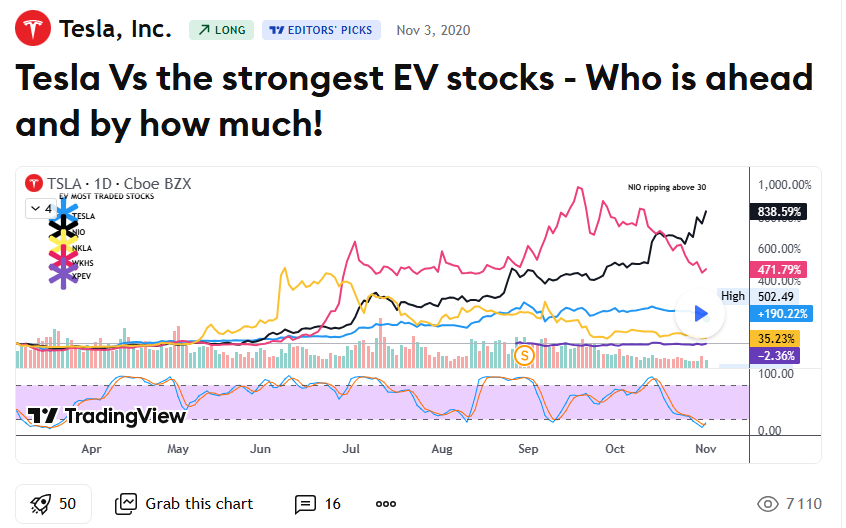
With the rise of TradFi in crypto, traders can view ideas on stocks and commodities before trading their tokenized versions on crypto exchanges. Ideas usually range from comparison posts like the above to fundamental analysis and market commentary.
It’s not uncommon to also find educational posts with detailed technical, fundamental, or macro analysis explanations. Traders can boost an idea post that resonates with them, grab the chart from the post, and manipulate it for their own analysis. Users can also share idea posts to social media platforms like X and Facebook.
The growing popularity of these posts reflects a broader trend across financial markets, where traders increasingly consume analysis as content. Forex traders, for example, often follow market commentary, chart breakdowns, and educational material from providers such as OANDA alongside community-generated ideas to gain additional context before entering a position.
- Community Scripts
Scripts are another community feature available on TradingView. These include built-in indicators and over 100,000 provided by the community. There are three types of scripts: indicators, libraries, and strategies.
Indicators
Indicators are scripts that perform calculations as programmed and display them on a chart.
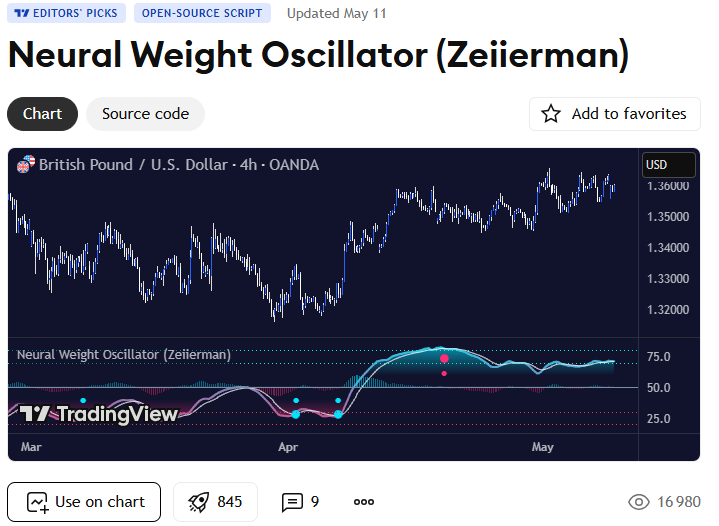
Just like ideas, scripts are fully interactive, allowing other traders to review, critique, and leave feedback on a chart. Traders can also use open-sourced scripts on a personal chart.
Strategies
Strategies are designed for backtesting and allow traders to emulate real-life trading. These are fully customizable, allowing analysts to specify capital, position size, and even crucial details like commissions, margins, and order types. Strategies also display entries and exits on the chart with more detailed backtesting information in the Strategy Tester section.
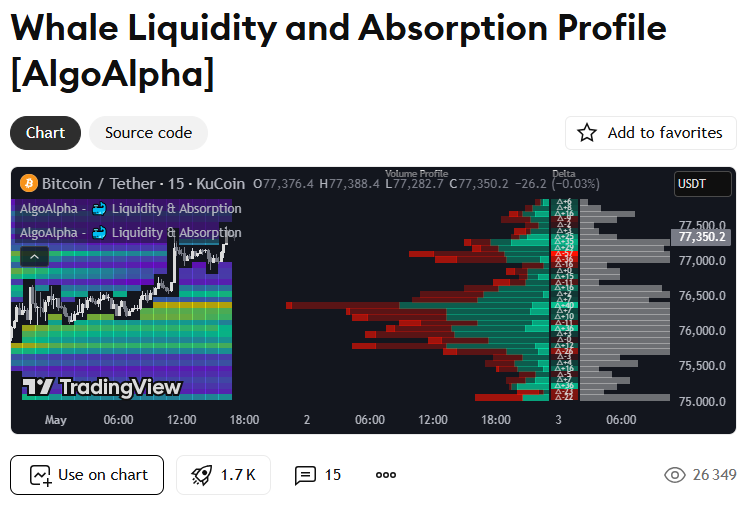
Strategies are usually very detailed with authors going the extra mile to explain how the featured indicator works. Some publications also outline a step-by-step guide on how traders can use the indicator developed from the strategy in live trading.
Libraries
Libraries, on the other hand, contain functions that can be reused in strategies, scripts, and other libraries. Traders, especially those that develop custom indicators, search and import published libraries into their code to render them on charts. This makes writing a Pine script easier and faster without having to rewrite the same logic repeatedly. Libraries are posted to the community page just like ideas and scripts and follow the same social engagement structure. Traders can like, comment on, and share libraries. However, due to how technical creating a library is, there are fewer posts compared to other categories.
All indicators, strategies, and libraries are featured on the community script page. Traders can navigate to Editor’s pick, scroll through the general scripts, or see updates from script authors they follow.
- Minds
While Ideas and Scripts are more technical and in-depth analysis, Minds is a social forum on TradingView where users chat about the market without having to draft a full-fledged Idea post. It’s basically the closest to simulating a social media app. So traders will usually find short-form content, mostly posts that relay quick thoughts or simple chart observations and insights.
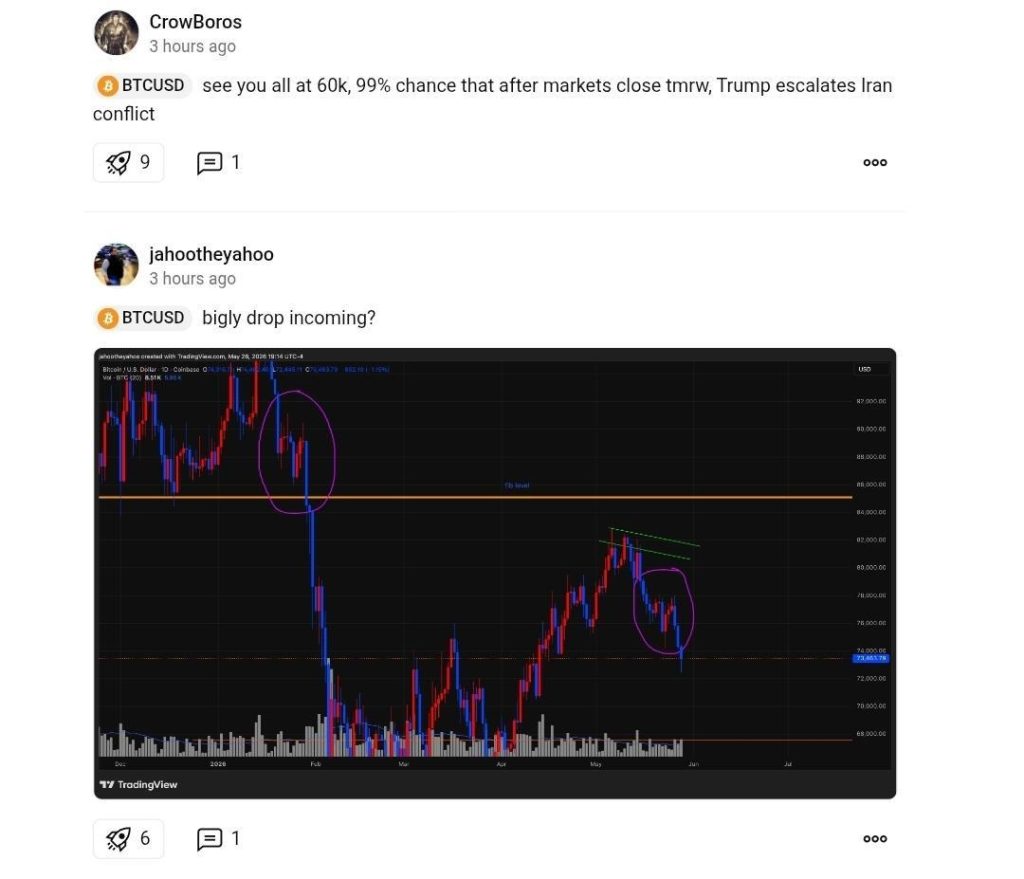
To access Minds, users must first search for an asset, navigate to the community bar, and then click “Minds” to see what people are saying about the token.
Wrap Up
Charting platforms like TradingView have made trading less of a solo activity and more of a social one. At the tap of a button, traders can choose a cryptocurrency to share ideas about or find posts on. On TradingView, Ideas, Minds, and Libraries are fully interactive. Traders can navigate directly to a trading chart featured in the posts, manipulate it, customize the indicators, and tune it to match their preferences.