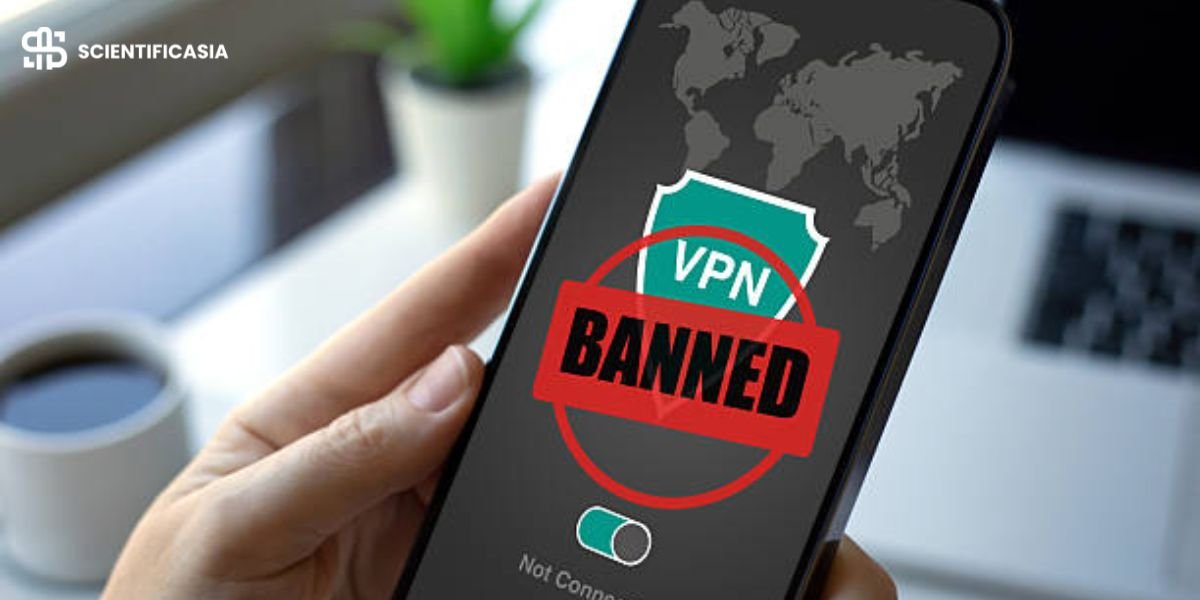
READ THIS FIRST BEFORE PROCEEDING: Epic Games strongly discourages the use of proxies and VPNs while playing Fortnite. When Fortnite’s systems detect a proxy or VPN connection, you may be immediately booted from active matches. In more severe cases, it can trigger account suspensions or a permanent ban. Furthermore, using a proxy to exploit regional pricing or bypass region-locked content is a direct violation of Epic’s Terms of Service. This comprehensive guide explains the underlying technology of proxies, covers the operational mechanics honestly, and highlights the real account risks so you can make an informed decision. This article does not guarantee or imply account safety.
Formatting & Editorial Key: This article was comprehensively updated in 2026 to integrate crucial ban-risk warnings omitted in earlier drafts, eliminate content that coached bannable or malicious behavior, and cross-reference verified industry sources. Bold text indicates substantive editorial additions.
Fortnite actively monitors IP address activity to maintain server integrity and ensure fair matchmaking. However, these automated protective measures sometimes catch innocent players in the crossfire. If you play heavily, share a local network, or rely on an Internet Service Provider (ISP) that routinely recycles IP addresses, you might experience connection dropouts, long matchmaking queues, or unfair IP-based blocks – even when you have strictly adhered to all community rules.
A Fortnite proxy is frequently suggested as a technical workaround to bypass these connectivity roadblocks by masking your original network address. But before considering one, it is vital to evaluate the underlying trade-offs. While a proxy can resolve specific network routing problems, using one with Fortnite carries a very real and persistent threat to your account status.
The Critical Risk You Must Understand First
This is the single most important reality to grasp, yet it is routinely ignored by surface-level proxy guides:
Epic Games explicitly discourages proxy and VPN usage. When Fortnite identifies a connection originating from a proxy or VPN node, players are presented with an in-game warning message along these lines:
“You were removed from the match due to internet lag, your IP or machine, VPN usage, or for cheating. We recommend not utilizing VPN or proxy services while attempting to play Fortnite.”
That notice is Epic Games telling you directly to disconnect those services.
- Proxy or VPN traffic frequently triggers Fortnite’s automated anti-cheat systems.
- Penalties range from immediate match ejection to temporary account suspensions (commonly 10 to 30 days), or permanent bans.
- There are documented community instances of players receiving permanent account terminations for VPN/proxy usage.
- Utilizing proxies to access cheaper regional store prices or bypass region-restricted content is a direct Terms of Service violation.
- A ban extends across your entire Epic Games account ecosystem—costing you access to your full game library, not just Fortnite.
None of this implies that proxies never work or that every single user is instantly flagged – many run them without immediate issue. However, the risk is genuine, constant, and borne entirely by you. Anyone claiming a Fortnite proxy is 100% “safe” is giving you a dangerously incomplete picture.
With those risks clear, let’s explore how proxy technology actually operates so you can weigh your choices properly.
Why Legitimate Players Get IP-Blocked
Fortnite analyzes IP traffic patterns to block malicious actors, prevent denial-of-service (DoS) attacks, and stop automated bots. Unfortunately, these aggressive security filters sometimes flag ordinary players as false positives.
Primary Block Triggers
- High Traffic Volumes: Transmitting excessive network traffic from a single IP address – often caused by running multiple gaming setups on one home network, enduring marathon gaming sessions, or experiencing rapid reconnection attempts.
- Rapid Regional Jumping: Changing your connection footprint across distant geographic server regions in a short time window, which resembles credential stuffing or account sharing.
- Shared Networks & Recycled ISP Addresses: This is the most frustrating scenario. If your ISP assigns you a dynamic IP address that was previously blacklisted due to another user’s bad behavior, your connection gets blocked through no fault of your own.
That final scenario – a rule-abiding gamer trapped by a recycled or dirty ISP IP – represents the primary legitimate reason someone might research a proxy solution.
How a Fortnite Proxy Works
A proxy server functions as an intermediate gateway between your device and Epic Games’ servers. Instead of connecting directly, your game data passes through the proxy, causing Fortnite to see the proxy’s IP address rather than your home network IP.
[ Your PC / Console ] ──► [ Proxy Server (Clean IP) ] ──► [ Fortnite Game Servers ]In theory, this routing allows you to present a fresh, unflagged IP address to the game and optimize your routing path to reduce latency. When configured accurately, it changes how Epic’s infrastructure views your incoming connection without altering your actual gameplay.
The catch remains unchanged: Fortnite actively deploys detection mechanisms designed to identify proxy and VPN signatures. A proxy is not an invisible shield, and detection can lead directly to anti-cheat actions.
Leading Proxy Providers (If You Decide to Proceed)
If, after evaluating the account risks, you decide to move forward, selecting a reputable paid provider is crucial. Free proxies carry severe reliability issues, poor speeds, and critical security/privacy vulnerabilities.
Note on Pricing: Rates must be verified against each provider’s official pricing page prior to publication, as proxy subscription costs fluctuate. The figures below reflect documented rates at the time of writing.
1. ProxyWing
Positioned as an accessible, cost-effective provider offering residential, ISP, and datacenter proxy pools across a large global footprint. Supports standard connection protocols including HTTP, HTTPS, and SOCKS5.
- Datacenter Proxies: Advertised starting around $1.05/month.
- ISP Proxies: Advertised starting around $1.80/month. (Verify current pricing.)
2. Soax
Manages an extensive pool of residential and mobile IP addresses spanning multiple global locations. Features granular geotargeting, configurable sticky or rotating session types, and full HTTP(S)/SOCKS5 support. (Verify current pricing.)
3. Oxylabs
A enterprise-grade proxy provider offering high-tier residential, datacenter, and dedicated ISP proxy networks supported by broad geographic coverage.
- Residential Traffic: Advertised around $4/GB.
- Datacenter Proxies: Advertised around $1.20/IP/month.
- ISP Proxies: Advertised around $1.60/IP/month. (Verify current pricing.)
A Critical Warning on Free Proxies: Avoid them entirely. Free proxies are frequently pre-blacklisted by anti-cheat systems (drastically elevating your ban risk), suffer from severe lag, and routinely monetize or intercept your personal data. A paid, reputable provider is the only logical path if you choose to proceed.
How to Use a Proxy More Safely (Mitigating Risk)
While no method can completely eliminate the risk of an account ban, following these operational steps can lower your chances of triggering automated detection:
- Match Your Local Region: Align your proxy location with your actual physical region. Sudden geographic jumps across continents are immediate red flags for anti-cheat algorithms.
- Maintain Session Consistency: Never switch proxy nodes mid-game. Abrupt IP rotations during an active match look highly suspicious.
- Prioritize Clean Residential or ISP Proxies: Opt for dedicated residential or static ISP proxies over datacenter or free pools, which are heavily monitored and quickly flagged.
- Test Gradually: Run short, non-competitive sessions first to monitor ping stability, packet loss, and anti-cheat behavior before committing to longer play sessions.
The Honest Bottom Line
A Fortnite proxy can occasionally help a legitimate gamer bypass an unfair IP block or stabilize bad routing. That is a real technical use case – especially if your ISP assigned you a recycled IP address that was previously flagged.
However, it comes with an explicit risk that Epic Games warns against, and that risk falls entirely on your shoulders. If you value your account – particularly if you have invested significant money into cosmetics, battle passes, or competitive progress – weigh that trade-off carefully. For most players, reaching out to Epic Games Support regarding an unfair IP block or requesting an IP refresh from your ISP is a far safer path.
If you choose to use a proxy, do so with open eyes: select a premium provider, maintain consistent connection habits, and remember that no proxy makes your account completely ban-proof.
Frequently Asked Questions (FAQ)
Can I get banned for using a proxy or VPN on Fortnite?
Yes, it is entirely possible. Epic Games discourages proxy and VPN usage. Connecting through one can trigger Fortnite’s anti-cheat checks, resulting in match ejections, temporary suspensions (10–30 days), or permanent account terminations. Documented cases of bans exist within the community.
Does Epic Games officially ban VPNs and proxies?
While Epic’s Terms of Service do not explicitly list the word “VPN” in every section, Fortnite’s in-game safety system actively warns against using them. Bypassing regional store pricing or region-locked content using a proxy is an explicit Terms of Service violation. Attempting to bypass an existing account ban via IP masking can lead to permanent exclusion.
Why do regular players get IP-blocked without cheating?
This usually occurs due to shared local networks or recycled ISP IP addresses. If your provider assigns you an IP that a previous subscriber used maliciously, you can inherit their block through no fault of your own. Excessive connection requests or rapid geographic switching can also trigger automated blocks.
Are free proxies safe to use with Fortnite?
No. Free proxies are heavily abused, meaning their IP ranges are usually blacklisted already. They offer terrible routing speeds, drop packets frequently, and often harvest your private browsing data for profit.
Is there a safer alternative to using a proxy?
Yes. If you are caught in a false-positive IP block, submit a ticket directly to Epic Games Support. Alternatively, contact your Internet Service Provider (ISP) and ask them to issue your router a fresh, dynamic IP address or assign a static IP. Both options eliminate the account ban risks associated with proxy services.